

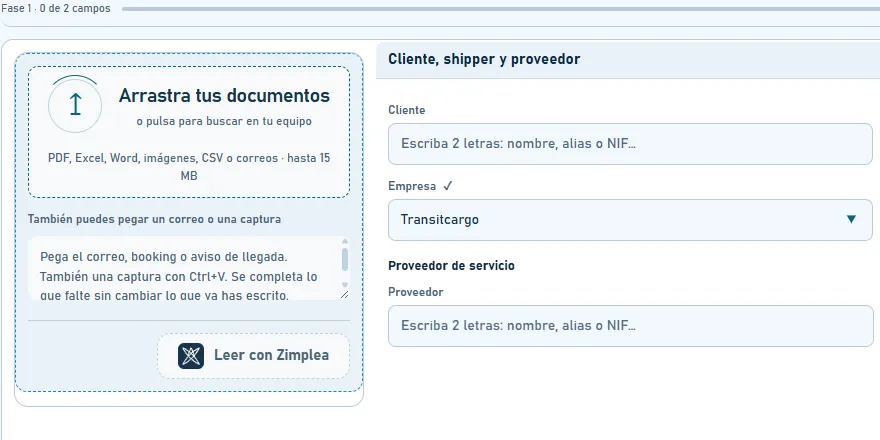
Create with Zimplea
AI reads the email and fills in the file.
Drop in a document or paste an email, and the new shipment file opens already filled in. Check it, add what’s missing and save. Nothing is saved until you confirm.
Custom software and AI for small businesses. We help you leave spreadsheets, email chains and manual work behind.
Dashboards, CRMs and lightweight ERPs, built around the way your business works.
Assistants that read emails and documents, reply and fill in the data.
We connect your tools and take repetitive work off your plate: email, spreadsheets, invoices.
Websites, mobile apps and online stores.
Success story
TransitCargo is a freight forwarder and customs agency in Málaga. We built ConTransit for them: the AI-powered management platform their team works in every day.
Before
Every email, retyped by hand.
Bookings, arrival notices and bills of lading, typed into a sheet one by one.
Files found by eye.
Finding a shipment meant scrolling the sheet, row by row.
Dates and invoices slipping through.
Everything split between the sheet, the inbox and the phone.
After
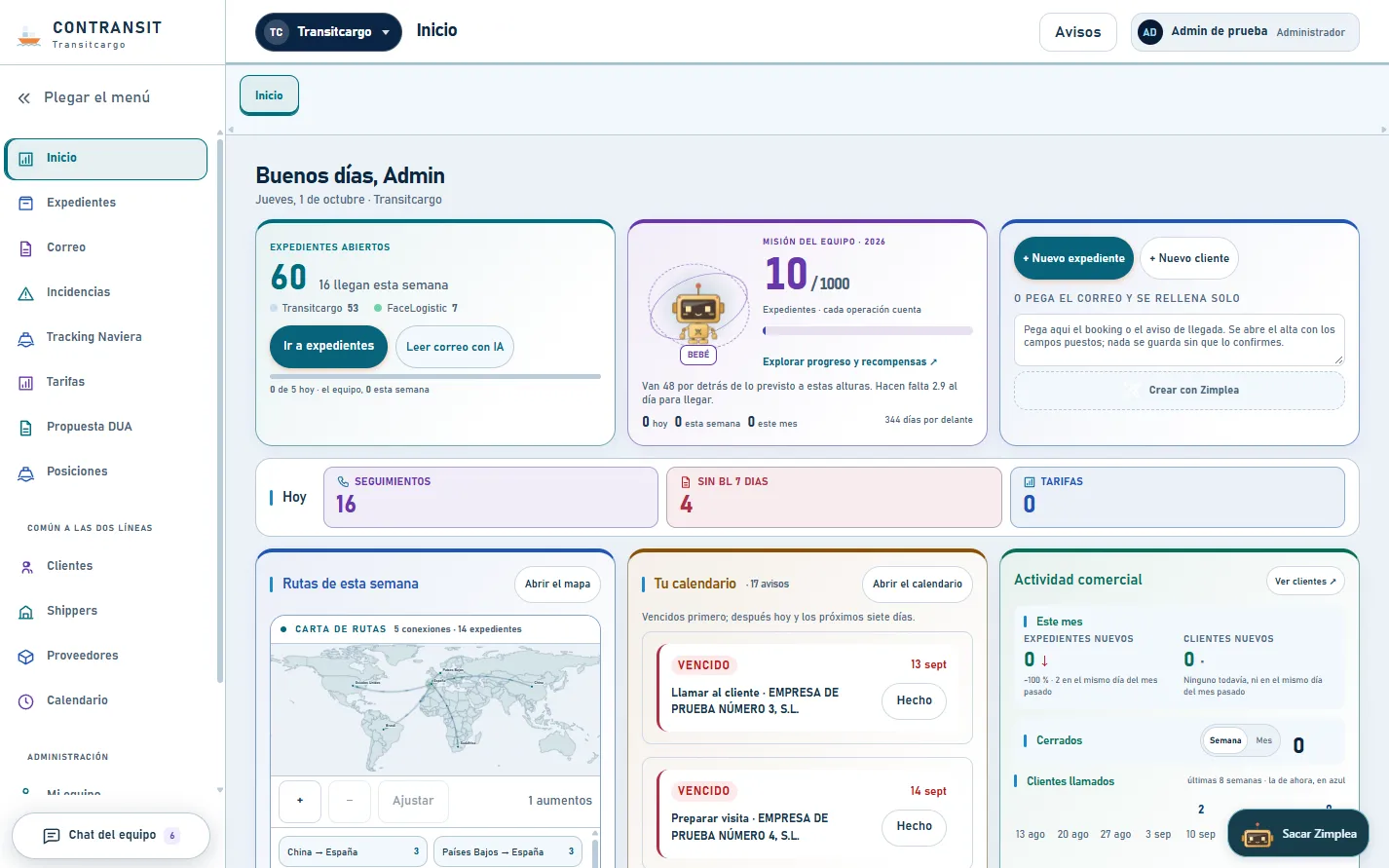
Create with Zimplea
Drop in a document or paste an email, and the new shipment file opens already filled in. Check it, add what’s missing and save. Nothing is saved until you confirm.

Ask me
“Where’s the container for…?”, “What’s arriving this week?”. The answer comes with a button that opens the file. And if it doesn’t know, it says so: it never makes data up.
Client, route, cargo and containers, booking, bill of lading, customs and delivery.
Automatic alerts such as “arrival date passed, file still open”.
Straight from the shipping line, on a route map.
With files, screenshots and shared shipment cards.
A dedicated view for the admin team, with invoices attached and a “billed” mark.
Everyone sees only their own work, and the margin never reaches the end client.
With a search that shrugs off accents and typos.
Speak instead of typing.
It doesn’t do the job or watch over anyone: it keeps them company. It gains experience with every file.


In action
A quick tour of a working day: creating a file from a document, asking the AI, sharing it with the team and sorting the alerts.
Narrated in Spanish, with English subtitles.

Is your team still living in spreadsheets and email?
Book a call (opens in a new tab)Four steps, always in this order: from the way your business works today to the tool it actually needs.
Step 1
You walk us through your day and we look at what you use: the spreadsheets, the email threads, everything typed in by hand. That shows us where the time goes.
Step 2
We explain what we’d build, in what order and why, without the jargon. We start with whatever takes the most work off your plate.
Step 3
We build it in stages and show you each one, so you can try it on real work before you sign it off.
Step 4
We roll it out with your team and show everyone how to use it. Then we stay on hand to adjust it as your business changes.
It all starts with a conversation.Book a call (opens in a new tab)
Zimplea was founded by two people in Málaga. When you write to us, one of us writes back.
The questions most businesses have before taking the first step.
Not seeing yours?
Write to usIf your team loses hours to spreadsheets, email and manual work, almost certainly. We work with small and mid-sized businesses in any industry, because the underlying problem is the same: data scattered across ten places and tasks done by hand again and again.
Our published case study is in logistics and customs, but the way we work doesn’t depend on the industry. We’re based in Málaga, Spain.
It depends on what you need, which is why we don’t publish prices: everything is built to order. First we talk and look at how you work. Then we send you a written proposal with what we’ll build and what it costs, before any work starts.
It depends on the scope, so we don’t quote timelines blind. We usually start with whatever eats up most of your time and deliver in stages, so your team can use it early and tell us what to adjust. The proposal sets a date for each stage.
No. We start from how you work today. Wherever possible, the new system connects to what already works (your email, your spreadsheets, your invoicing software), and only the parts that waste your time change.
If your data lives in Excel, we bring it across so you don’t start from scratch.
The AI takes the repetitive work: reading emails and documents, pulling out the data and filing it where it belongs, answering the questions that always come up. Decisions stay with your team.
In ConTransit, for example, the AI fills in the shipment file from the email, but nothing is saved until a person confirms it.
We set permissions by role, so each person sees only what they need.
Custom software needs looking after: fixing what breaks, keeping it up to date and adapting it when the way you work changes. We don’t disappear: we show your team how to use it and stay on hand for whatever comes up.
Book a call or drop us a line. Tell us what takes up most of your time and we’ll see whether we can help. If it’s a fit, we send you a written proposal: what we’ll do, in what order and what it costs.
Tell us how your business runs today: the spreadsheets, the email chains, the jobs still done by hand. We’ll work out together what can be made simpler.
Pick a day and time that suits you in our calendar.
Based in Málaga, Spain